
Private sellers
You're selling without an agent
- Your listing stands out from the very first thumbnail
- Fewer wasted viewings: time-wasters filter themselves out
- No photographer to book
- You approve every photo before it goes live
One photo per room, doors to tap: buyers understand the layout before a viewing. The same tour gives you an interactive web experience and an MP4 video.
You install the app. Your buyer installs nothing — they simply open a link in their browser.
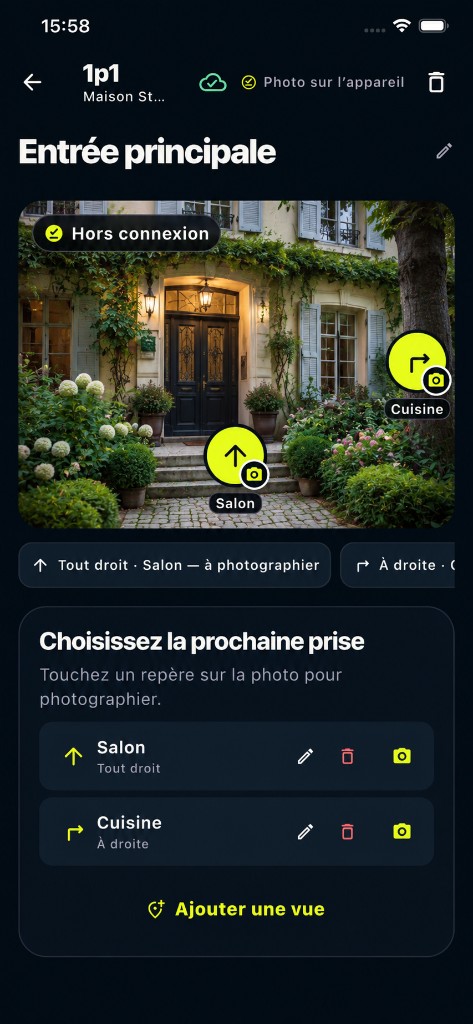
This house was photographed and linked room by room on a smartphone. Tap the markers to explore, or start the auto tour to watch without touching the screen.
The full page brings together the tour, property details and your contact options: property type, price, floor area, number of rooms and description, followed by phone, WhatsApp or email links based on the details you provide.
View property details and tourTap the image to take control.
A buyer who can't picture the layout either makes a wasted trip, or never comes at all. That is exactly the gap 1p1 fills.
These are the app's real screens, exactly as they look on iPhone today. You're not putting together a gallery — you're linking rooms.
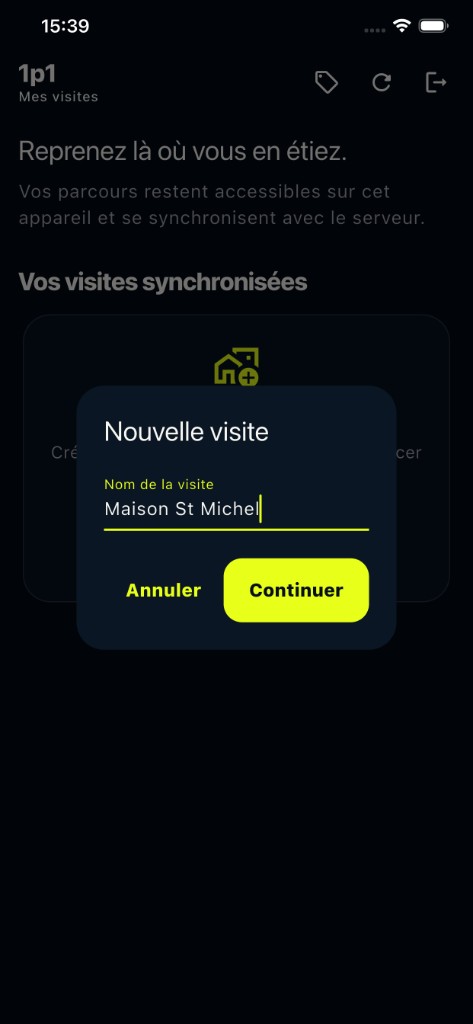
One tour per property. It lives on your phone first, then syncs with the server as soon as you're back online.
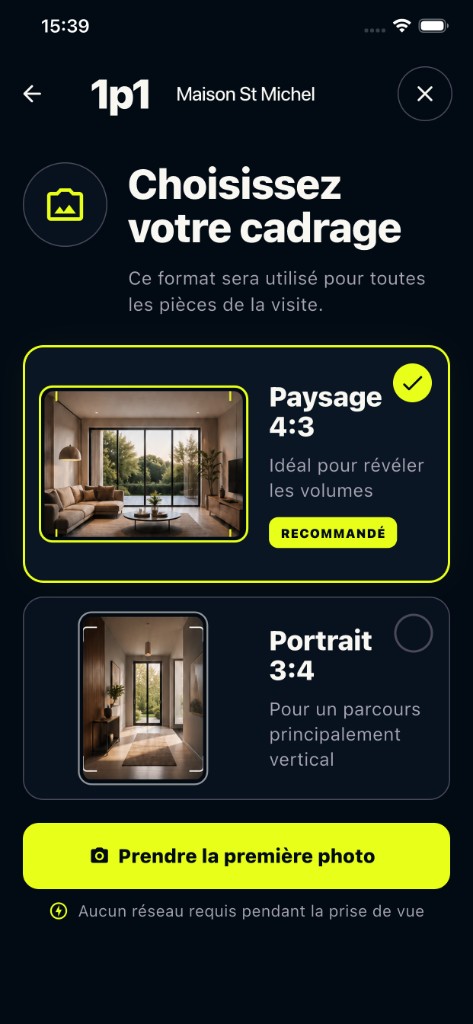
One format for the whole tour, and one shot per room. No signal needed while you walk round the property.
A marker on each opening links two rooms. That single step is what turns a set of photos into a tour.
Once your tour is published, share its link and download the auto tour as an MP4 video. Use the same tour to present the property on the web and in video.
Under “Publish and share”, you'll find the total number of views and where they come from: the link you sent, or your website.
Example in the app
128 views
Your tour has been viewed 128 times.
Indicative figures: a view is counted when the tour starts, without identifying the visitor.
Private sellers
Estate agents
Homeowners and professionals describe the moment the tour really made a difference.
People kept asking me whether the kitchen opened onto the living room. Now I simply send the tour with the listing. By the time people get in touch, they already understand how the flat is laid out.
One buyer lived two hours away from the property. She watched the tour one evening with her husband and called me the next day to book a viewing. When they came, they already knew what to expect. They weren’t just coming “to have a look”.
It’s an old house, and the layout isn’t obvious from photos. I sent the tour to my sister before I even published the listing. Her reaction was immediate: “Oh, now I understand how the house fits together.”
Creation and preview are free. Publishing costs €9.90 and includes three months of hosting. AI photo enhancement is an optional paid feature.
Try it and preview
€0
One listing to publish
€9.90/ tour
AI photo enhancement — €5 for 50 photos. Optional and charged separately from publishing.
Custom logo, agency subdomain and multiple accounts: coming soon.
Practical advice on linked photo tours, 360° and 3D, with clear distinctions.
Browse all guides →Yes. AI enhancement in the app balances the exposure and brightens shadows. Compare the original and enhanced versions before choosing which one to keep. This feature requires an internet connection and costs €5 for a pack of 50 photos.
No. A recent smartphone is all you need, with no extra lens or tripod. The app takes care of framing, compression and putting the tour together.
Never. Only you install 1p1, to create the tour. Your buyer simply receives a link: the tour is an ordinary web page that opens in the browser, on a phone or a computer, in one click from the listing.
The link stays live for three months after publication. You can extend it for €5 per three-month period, or simply let it expire once the property has sold.
No. Images are re-encoded before they are uploaded, which strips out EXIF metadata and GPS coordinates. The app never asks for your location.
Yes. You can photograph the property and link rooms offline. Syncing, publishing and AI photo enhancement require an internet connection.
With European providers, with photos stored by OVHcloud. Full details are in our privacy policy.
Create the tour tonight, publish it tomorrow morning.